 Crate
Search like a sample store
Type “warm rhodes” or “808 F#” and get results in milliseconds, even across hundreds of thousands of sounds.
Crate turns the folders of samples you already own into a fast, sample-store-style browser. Search, filter by instrument, key and BPM, audition, and drag straight into your DAW.
Built for producers with thousands of packs spread over folders and drives.
Type “warm rhodes” or “808 F#” and get results in milliseconds, even across hundreds of thousands of sounds.
Crate reads instrument, category, BPM, key, genre and loop/one-shot from names and folders — no manual tagging.
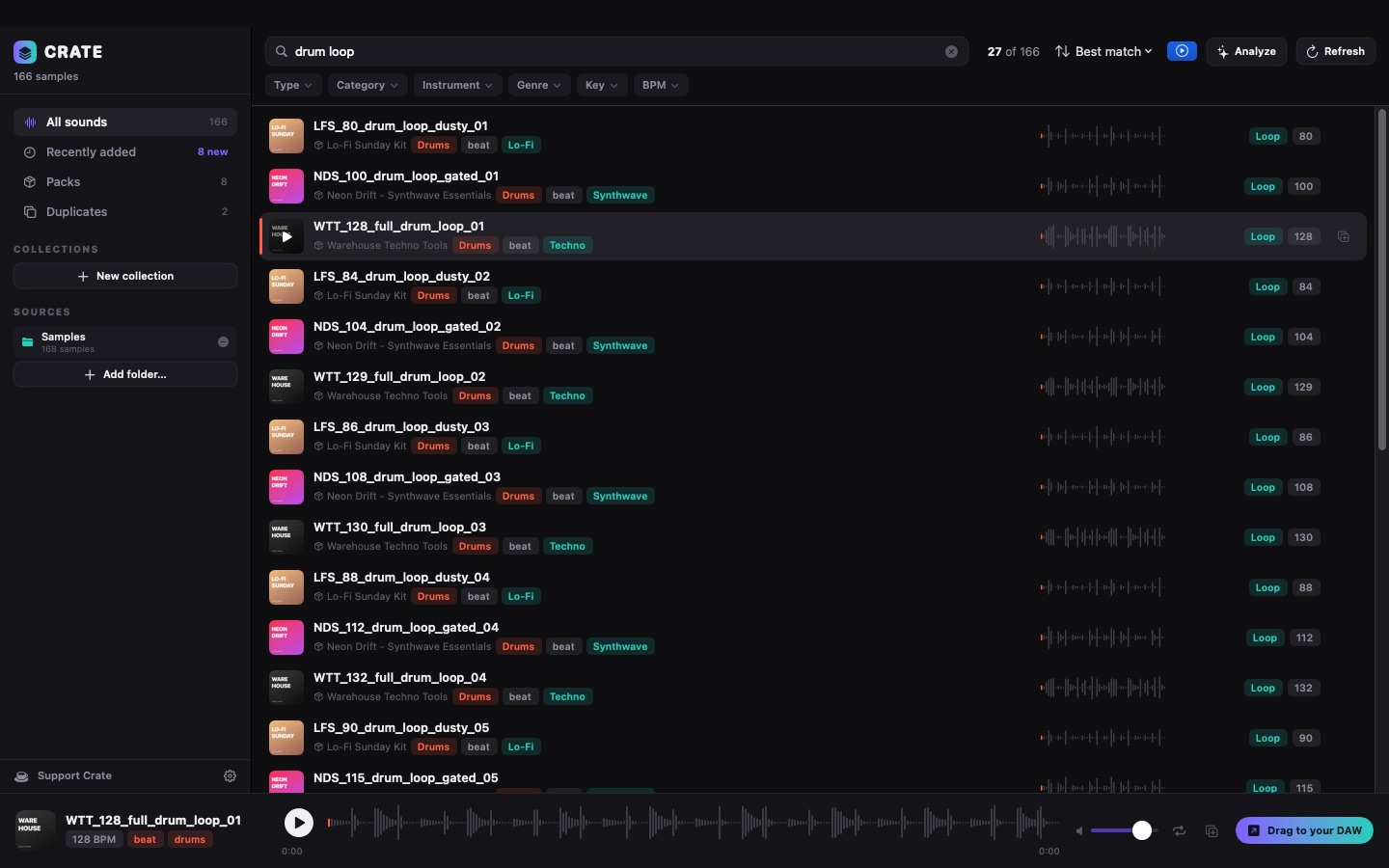
Pick Drums and the instrument, key and tempo menus show only what's left — with counts.
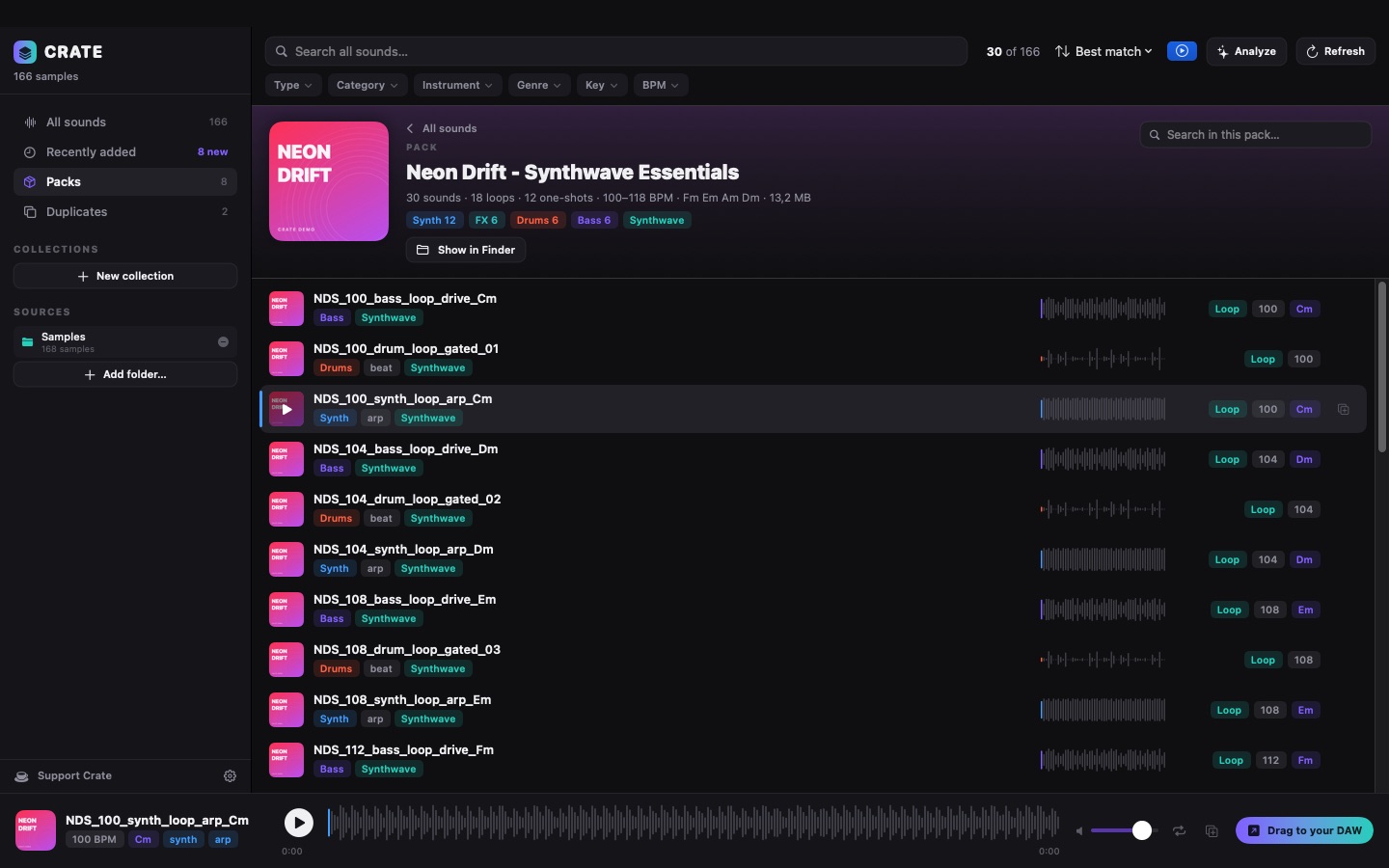
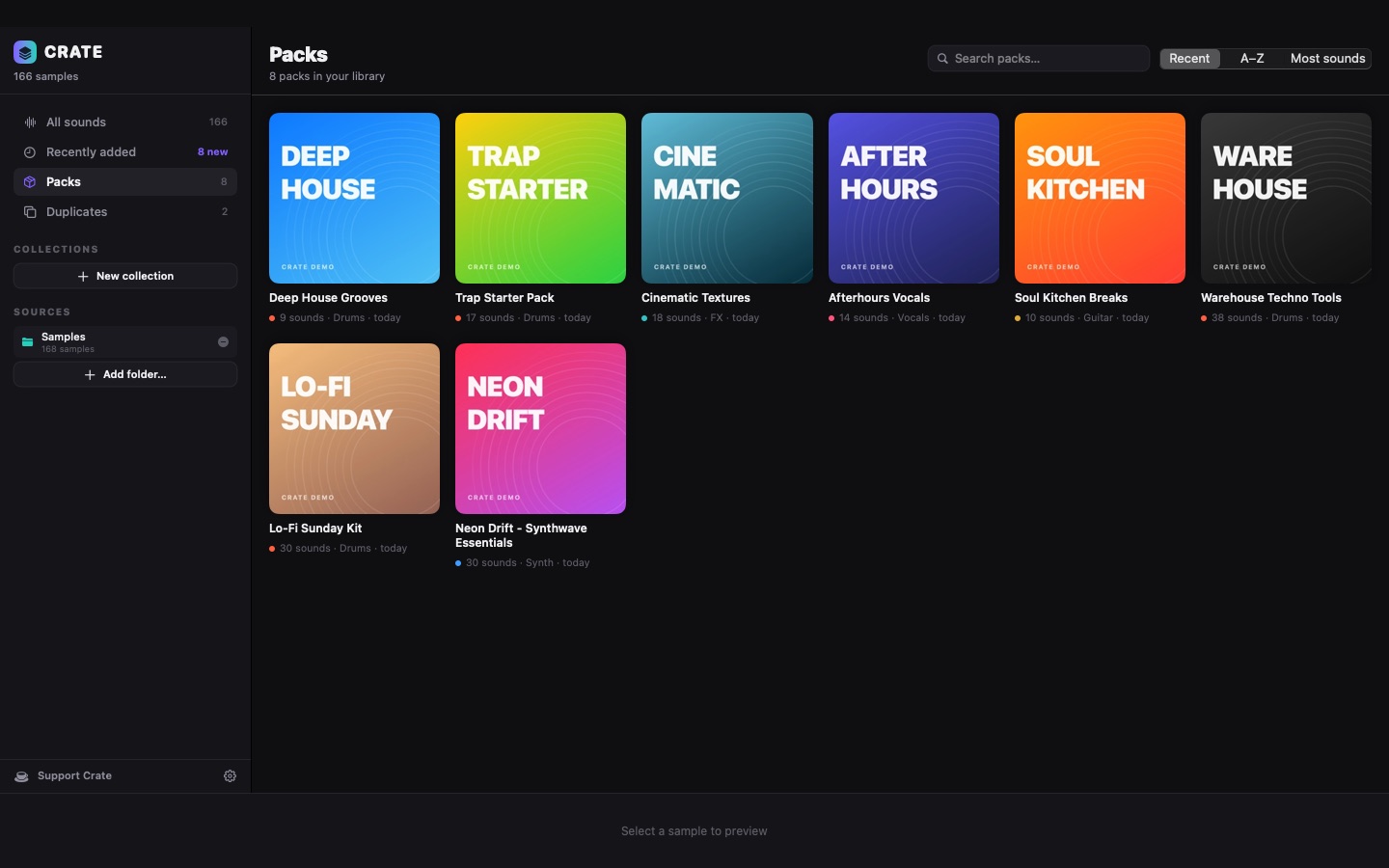
Browse by pack like a store, see what you added recently, open a pack and audition everything in it.
Drop a sound straight into Ableton Live, Logic Pro, FL Studio, Bitwig, REAPER or any app that takes audio files.
Libraries on unplugged drives stay in Crate and come back when you reconnect. NAS shares are re-checked automatically.
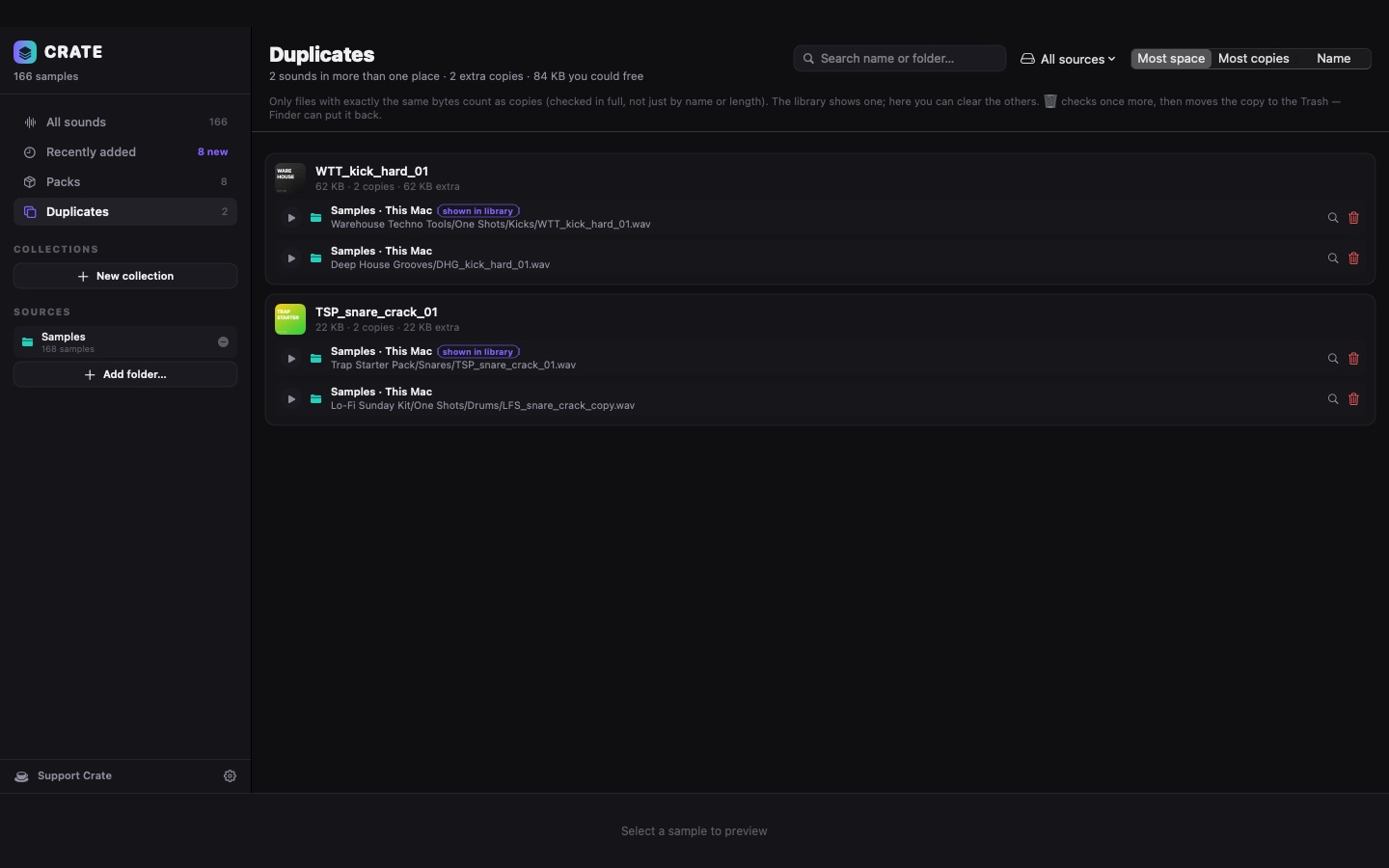
Crate spots byte-identical copies across all your folders and lets you clean them up safely (to the Trash, never deleted for good).
A ~10 MB app. Built-in analysis runs on the energy-saving cores and pauses while you're exporting or rendering.
Every pack gets its own page with artwork, stats and filters. Recently added shows what came in this week, so new packs don't get lost.
Combine instrument, category, genre, key, BPM and loop/one-shot. Each menu updates to show only what's left, with live counts. Best match mixes packs so results stay varied.
Downloaded the same pack twice? Crate finds byte-identical copies across every folder and drive, shows where they are and how much space you'd free.
On this Mac, external drives or a NAS. Nothing is moved or copied.
From file and folder names first; it listens only where names don't say enough.
Find the sound, hear it instantly, drop it into your session.
Enter your email and the download starts right away.
Crate is free. Your email is used to send you the download link and, only if you tick the box, occasional news. No spam, no sharing.
Didn't start? Click here. Then follow the two steps below — you only do this once.
Yes. Crate is free to download and use, with no account, no subscription and no ads. If it saves you time, you can support it with a coffee.
No. Crate works entirely on your Mac. Your files are never uploaded, moved or renamed. The only connections it makes are a daily check for updates (which you can turn off) and, if you use the Splice app, loading cover images of packs you downloaded with it.
Any app that accepts audio files by drag and drop: Ableton Live, Logic Pro, FL Studio, Bitwig Studio, REAPER, Studio One, Cubase, Pro Tools and others.
Yes. Point Crate at any folder of WAV, AIFF, FLAC, MP3 or OGG files — sample-store downloads, sample CDs, your own recordings. Well-named packs get the richest tags.
First from file and folder names (instrument, BPM, key, genre, loop or one-shot). Only when a name doesn't say enough does it listen to the sound — to tell loops from one-shots, estimate the tempo of loops and suggest a category. Everything runs on your Mac.
Crate is a free app that isn't signed with a paid Apple developer certificate, so the first time macOS asks you to allow it. It takes a minute and only once — see the install guide.
Yes. Crate runs on Apple Silicon and Intel Macs with macOS 14 Sonoma or later.
Crate was tested with more than 230,000 sounds across several drives. Searching and filtering stay instant; a big first scan takes a few minutes in the background.
Only if you ask: from the Duplicates page you can move a copy to the Trash after Crate checks, byte by byte, that an identical copy stays. Finder can always put it back.